



A decommissioned computer is sent off, but the hard drive still contains years’ worth of business data: customer details, payroll records, emails, passwords. That drive must be rendered unreadable. The only question is: how? Online, you’ll find tips ranging from drilling to hammering to using a magnet. In this article, we list the methods and explain which approach really gives an organisation certainty.
Why deleting or formatting isn’t enough
When you delete files or format a drive, usually only the reference to the data is removed. The data itself remains on the drive until it is overwritten. It can often still be recovered using free recovery software. In practice, a factory reset of a computer works in the same way. For an organisation that processes personal data, this is therefore not a secure way to dispose of a hard drive.
DIY methods: drilling, hammering and magnets
Drilling a few holes through the casing or hitting it with a hammer may seem like a definitive solution, but it isn’t always. The data is stored on the magnetic platters inside the drive. A hole only affects a small part of the surface; the rest of the platter can still be read using specialised equipment. An ordinary magnet is too weak to erase a modern hard drive. And the main drawback: you cannot prove afterwards that every disc has actually been destroyed.
Software-based erasure: secure and reusable
Professional data erasure involves overwriting the entire drive in accordance with a set standard and then verifying the process. Reuzado uses Blancco for this purpose, which is recognised worldwide as the standard for secure data erasure. Reuzado is a Blancco ITAD Gold Partner. The advantage of data erasure is that the drive or device can then be reused. This generates residual value and is better for the environment. You will receive a data erasure certificate for each data storage device.
Erasing is only suitable for drives that are still functioning properly. A faulty drive cannot be completely overwritten and must therefore be physically destroyed.
Physical destruction using a shredder
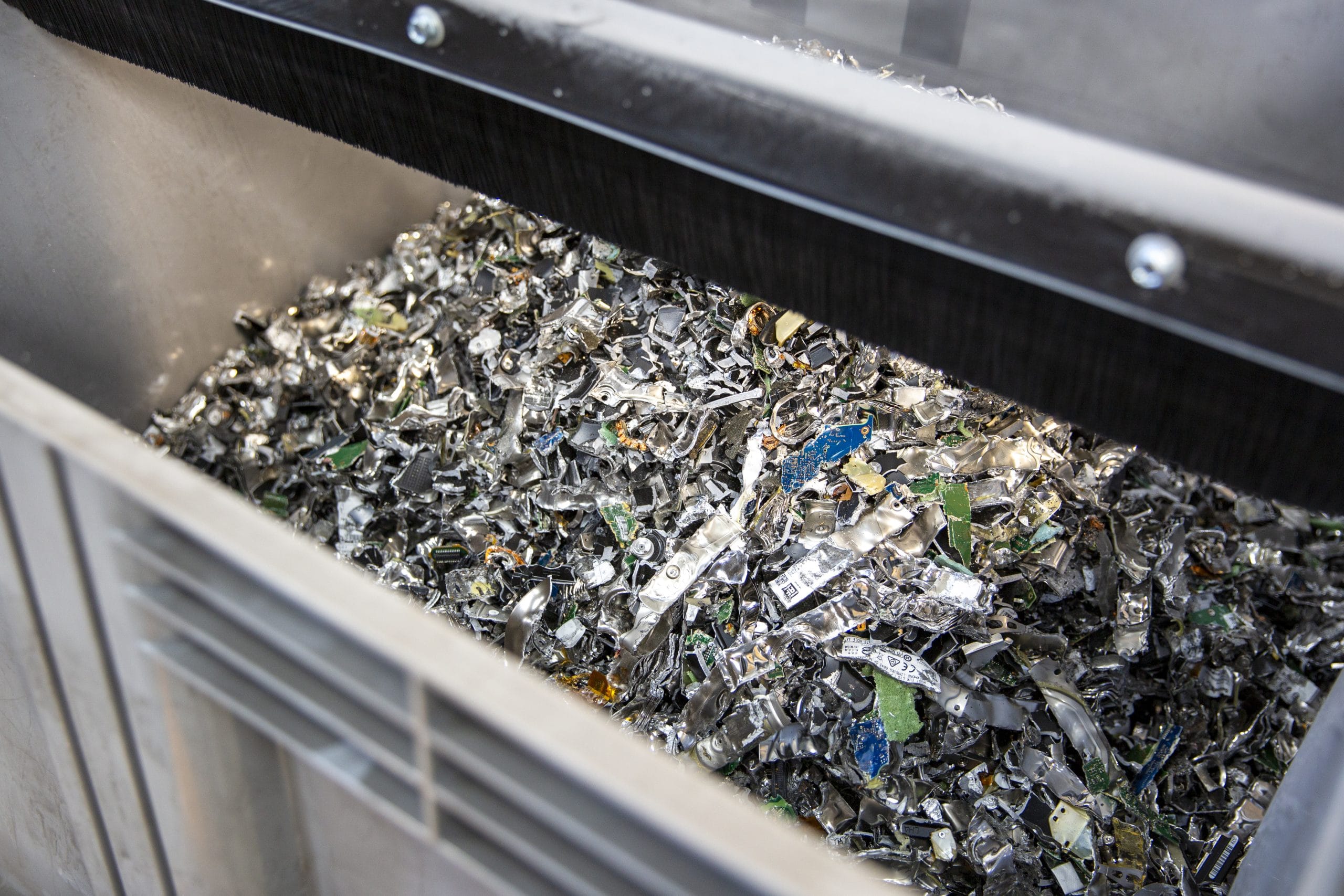
If data cannot be erased, or if your organisation requires maximum security, the disc is shredded. An industrial shredder grinds the disc, including the platters, into tiny particles. The German standard DIN 66399 specifies how small these particles must be: the higher the security level, the smaller the residual particles and the lower the chance that anything can be recovered. Reuzado destroys hard drives using a DIN 66399 H5 shredder.
You can read more about this approach on our page destroy hard drives.
On-site or in a secure processing area
You have two options. At on-site data destruction The mobile shredder unit comes to your premises and the discs are destroyed under your supervision. This means the data never leaves the premises. This is often the preferred option for organisations with strict internal rules, such as healthcare institutions, government bodies and financial service providers.
The other option is for Reuzado to collect the discs using its own drivers, in locked roll-on containers. In the secure processing area, each disc is registered and then erased or destroyed. Only authorised staff have access to this area.
The certificate: the proof that counts
Whichever method you choose, make sure you can provide evidence of it. At Reuzado, you will receive a certificate of destruction stating the serial numbers of the data storage devices and the date of processing. You should keep this certificate in your records. In the event of an audit or an enquiry from the regulatory authority, this will allow you to demonstrate that the data has been destroyed in a verifiable manner and in accordance with the standard. A bucket full of punctured discs will not provide you with that proof.
Which method is right for your organisation?
- Functioning discs that can be reused: Software-based erasure using Blancco, with a certificate issued for each drive.
- Faulty discs or highly sensitive data: physically destroy using a DIN 66399 shredder.
- Data must not leave the premises: on-site destruction using the mobile shredder.
Not sure which approach is best for you? Take a look at our working method for data destruction or request a no-obligation quote. The cost of data destruction starts at €4.50 per data carrier, including a certificate.
Frequently asked questions
Is formatting a hard drive enough to delete data?
No. When you format a drive, usually only the reference to the data is deleted. The data itself remains on the drive and can often be recovered using data recovery software. Use certified data-wiping software or have the drive physically destroyed.
Can I destroy a hard drive myself using a drill or a hammer?
That will only damage some of the platters; the rest can still be read using specialised equipment. Moreover, you cannot prove afterwards that the disc has been destroyed. For organisations, that is not sufficient.
What does a certificate of destruction say?
At Reuzado, the certificate shows the serial numbers of the data storage devices and the date of processing. This enables you to demonstrate during an audit that the data has been destroyed in accordance with the standard.